Disclosure: This post contains affiliate links. If you buy through a link, Smart Gear Picks may earn a commission at no extra cost to you.
A raised laptop, a USB-C hub, and a quiet open-plan desk — the missing piece is often a wireless mouse that doesn’t eat the rest of your budget. I compared current consensus wireless mice that typically stay under $40 on Amazon US, weighing comfort for all-day WFH, silent clicks, multi-device switching, vertical ergonomics, travel size, and review history. These five cover multi-PC desks through silent offices and rechargeable Bluetooth bags, and each keeps the budget cap realistic when you check the listing.
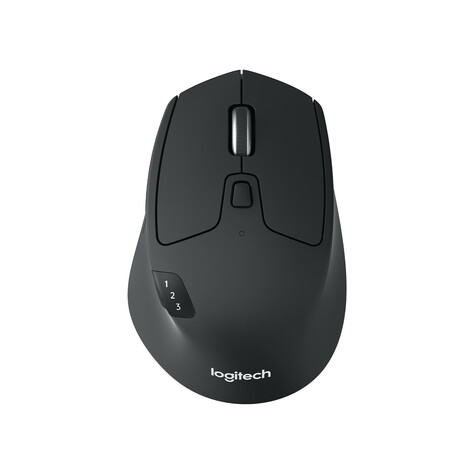
1. Logitech M720 Triathlon — Best Overall Multi-Device
Who it’s for: Hybrid workers juggling a work laptop, home PC, and tablet who want one full-size mouse to rule them all.
Why it wins: Full-size right-hand sculpt with Bluetooth or Unifying receiver, Easy-Switch for up to three devices, hyper-fast / click-to-click scroll, side buttons, and up to ~24 months on one AA. Huge review volume (around 9,000+ on Amazon) and a street price that often sits in the mid-$30s (sometimes dips near $30 on sale) make it the default “desk athlete” pick when you confirm the live listing is under $40.
Watch-outs: Logitech’s own site can list it above $40 — confirm the Amazon (or retailer) price before you buy. Right-hand only; clicks are not silent. Some reviewers note Bluetooth quirks on older Windows; the Unifying dongle is the safer everyday path. Confirm live price stays under $40.
2. Logitech M330 Silent Plus — Best Silent Click
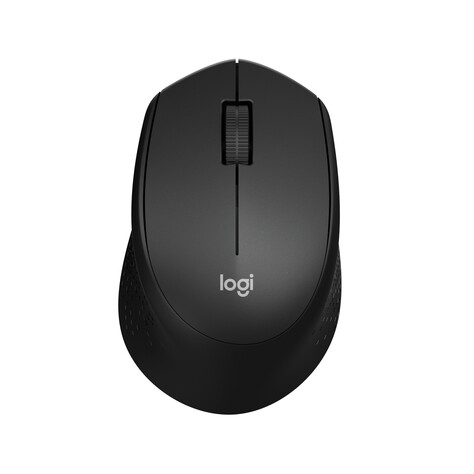
Who it’s for: Open-office / late-night WFH users who want the click feel without the click soundtrack.
Why it wins: SilentTouch cuts over 90% of click noise vs classic mice while keeping a contoured right-hand shape, ~18-month AA life, and a tiny USB-A nano receiver. Tens of thousands of Amazon reviews and a street price that often sits near the low twenties make it the consensus quiet everyday mouse under $40.
Watch-outs: Right-hand only; no Bluetooth (receiver required). No side buttons or multi-device switch. Battery life claims vary by listing (~18 vs ~24 months) — treat as “long, not infinite.” Confirm live price stays under $40.
3. Anker 2.4G Wireless Vertical Mouse — Best Ergonomic Vertical
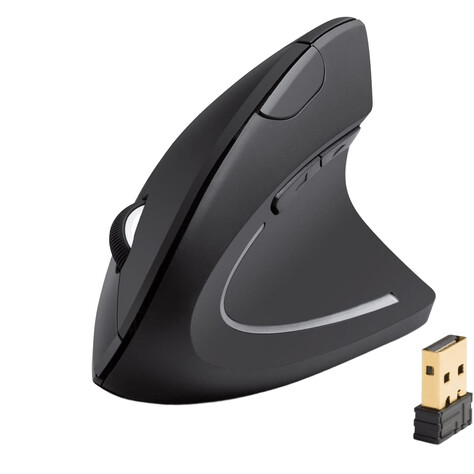
Who it’s for: Desk workers chasing wrist relief who want a handshake-grip vertical mouse without MX Vertical money.
Why it wins: Right-hand vertical “handshake” shape with 800/1200/1600 DPI, five buttons (incl. forward/back), and a stowable 2.4 GHz nano receiver. Massive review history (50,000+) and a typical ~$30 street price keep it the budget ergonomic default when you want less forearm twist at a WFH desk.
Watch-outs: 2.4 GHz only — not Bluetooth. Needs two AAA batteries (often not included). Adaptation period is real; too tall for some small hands. Longevity complaints show up in older reviews, so buy from a seller with easy returns. Confirm live price stays under $40.
4. Logitech M185 — Best Budget Compact
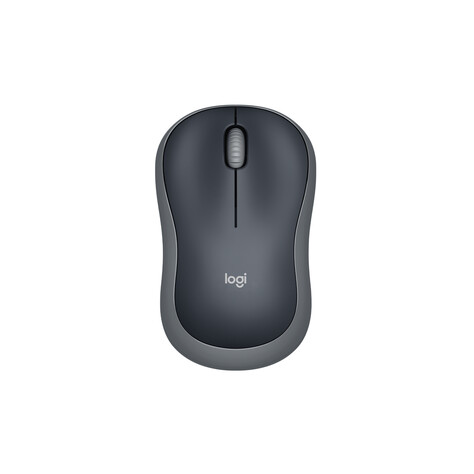
Who it’s for: Travelers, students, and anyone who just wants a reliable ambidextrous mouse that tosses in a laptop bag.
Why it wins: Compact ambidextrous shape, plug-and-play USB nano receiver, ~12-month AA life, and Amazon bestseller status with tens of thousands of reviews. Street price often sits in the teens (sometimes low teens), so it’s the honest “cheapest mouse still worth buying” pick under $40.
Watch-outs: Small for large hands; no Bluetooth; no silent clicks or side buttons. Basic optical tracking — fine for docs and browsing, not a gaming sensor. Confirm live price stays under $40.
5. TECKNET TK-MS029 — Best Rechargeable Dual-Mode
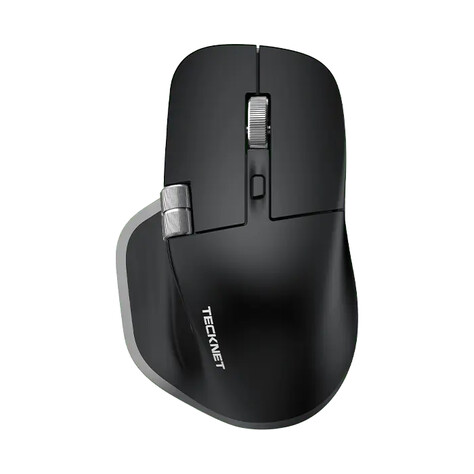
Who it’s for: Shoppers who want USB-C rechargeable power, quiet clicks, and Bluetooth + 2.4 GHz switching without buying three Logitech SKUs.
Why it wins: Dual Bluetooth + 2.4 GHz (up to three devices), USB-C rechargeable battery, quiet clicks, side scroll wheel, and adjustable DPI up to 4800 in a right-hand ergonomic shell. Often sits near $20 (list nearer $30) with thousands of reviews — strong feature density when AA batteries feel outdated.
Watch-outs: Buttons are non-programmable per the listing. Side scroll / side buttons have limited or no support on some macOS setups. Third-party brand vs Logitech warranty comfort — register for the stated multi-year coverage. Confirm live price stays under $40 and sold by a seller you’re comfortable with.
Quick takeaway
Choose the Logitech M720 Triathlon when you need one mouse across three devices, the M330 Silent Plus for a quiet open office, the Anker Vertical when wrist posture matters most, the M185 for a cheap bag-friendly daily driver, and the TECKNET TK-MS029 when you want rechargeable Bluetooth + 2.4 GHz on a tight budget. Pair any of these with a raised screen and a spare USB-A port on your hub — see our Best Laptop Stands Under $50 (2026) and Best USB-C Hubs Under $40 (2026) roundups. Prices move often — check the current Amazon listing before you order. See our new keyboard roundup: https://smartgearpicks7.wordpress.com/2026/09/26/best-wireless-keyboards-under-40-2026/ Want a smoother, quieter surface under that mouse? Our Best Desk Mats Under $30 (2026) roundup compares PU leather, felt, cork, and cloth mats big enough for your keyboard and mouse.


Leave a Reply