Disclosure: This post contains affiliate links. If you buy through a link, Smart Gear Picks may earn a commission at no extra cost to you.
A MacBook with two ports, a Windows ultrabook that ditched USB-A, or a café table where you need HDMI, a mouse dongle, and a charge cable from one stick — a solid USB-C hub under $40 fixes those moments without a bulky docking station. I compared current consensus multiport adapters that typically stay under $40 on Amazon US, weighing HDMI resolution, PD pass-through, port mix (USB-A/C, Ethernet, SD), build reputation, and review history. These five cover bare-bones budget HDMI sticks through Ethernet and SD-card travel hubs, and each keeps the budget cap realistic when you check the listing.
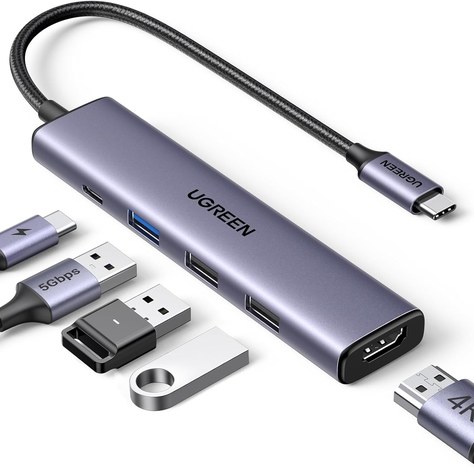
1. UGREEN Revodok 105 (5-in-1) — Best Budget Everyday
Who it’s for: Shoppers who mainly need HDMI plus a few USB-A ports and PD charging, without paying for Ethernet or card readers.
Why it wins: Aluminum-ish slim dongle with 4K@30Hz HDMI, 100W PD input (roughly 95W pass-through after hub draw), one 5 Gbps USB-A and two USB 2.0 ports. Huge review volume and a street price that often sits near the low teens make it the default “just give me a second screen and a mouse” pick under $40.
Watch-outs: Two of the three USB-A ports are USB 2.0 (fine for keyboard/mouse, slow for big file dumps). No Ethernet, no SD, no USB-C data port. Host USB-C must support DP Alt Mode for video. Confirm live price stays under $40.
2. Anker 332 USB-C Hub (5-in-1) — Best Compact Name-Brand
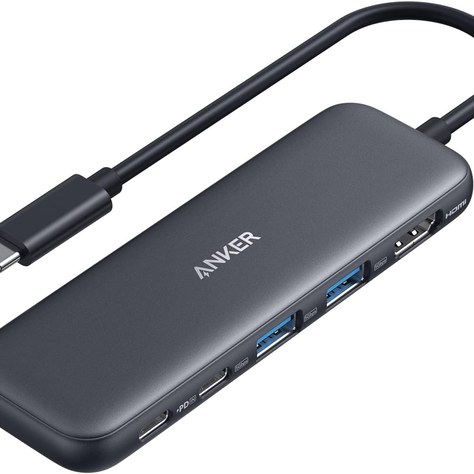
Who it’s for: Travelers and hybrid workers who want Anker’s support/warranty in a pocketable HDMI + PD + data hub.
Why it wins: 4K@30Hz HDMI, 100W PD-IN (up to ~85W pass-through), one 5 Gbps USB-C data port, and two 5 Gbps USB-A ports in a short fixed-cable stick. Strong Amazon ranking and tens of thousands of reviews make it the “buy the known brand” compact everyday option when UGREEN’s budget stick feels too bare.
Watch-outs: HDMI tops out at 4K@30Hz (not 60Hz). PD-IN is charge-only — not a second data/video USB-C. Plastic shell; some long-term durability complaints in reviews, so treat it as a travel tool you may replace eventually. Not Linux-compatible per Anker’s listing notes.
3. Anker 341 USB-C Hub (7-in-1) — Best with SD Card Reader
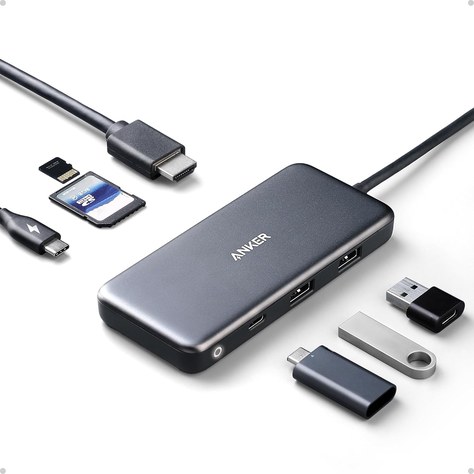
Who it’s for: Photographers, creators, and anyone who dumps SD/microSD cards at a desk or hotel nightstand without carrying a separate reader.
Why it wins: Full 7-in-1 layout — 4K@30Hz HDMI, SD + microSD, USB-C data, two USB-A 5 Gbps, and up to ~85W PD pass-through (100W in minus hub draw). Massive review history as Anker’s classic A8346 multiport and a TechGearLab-style “most people” consensus pick when card slots matter.
Watch-outs: Still 4K@30Hz HDMI, not 60Hz. No Ethernet. Needs a capable USB-C PD wall charger (not included) for full laptop pass-through. Confirm the live listing price stays under $40 — it sometimes sits near the budget ceiling.
4. UGREEN Revodok Pro 6-in-1 (Ethernet) — Best with Gigabit Ethernet
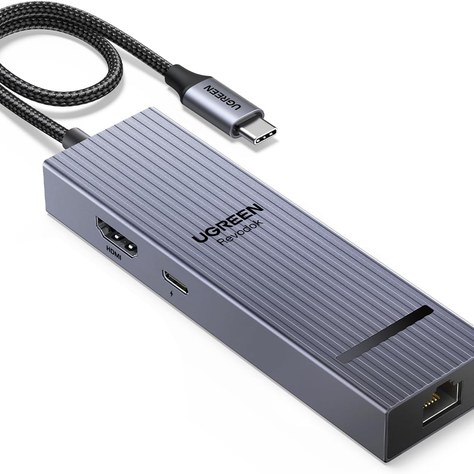
Who it’s for: Hotel Wi-Fi refugees, Zoom-heavy WFH desks, and anyone who wants wired LAN plus a sharper HDMI option in one stick.
Why it wins: Gigabit RJ45, 4K@60Hz HDMI, 100W PD (≈85W pass-through), and 10 Gbps USB-A/USB-C data ports — a feature mix Wirecutter-adjacent roundups often praise in the mid-$20s. Faster USB and smoother 4K60 than the budget 5-in-1 sticks when Ethernet is non-negotiable.
Watch-outs: No SD/microSD slots. Mac users may need to add the USB LAN adapter under System Settings → Network on first plug. Hub can run warm under load. Driver install is rarely needed on Windows but check UGREEN’s FAQ if Ethernet doesn’t negotiate.
5. Baseus 7-in-1 USB-C Hub — Best 4K@60Hz Value Multiport
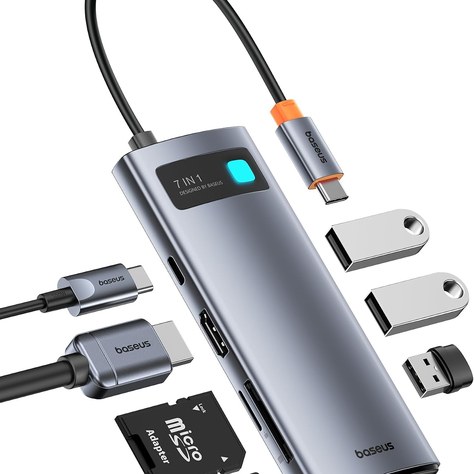
Who it’s for: Budget shoppers who want 4K@60Hz HDMI plus SD/TF and three USB-A ports without jumping to a $60+ dual-monitor dock.
Why it wins: 4K@60Hz HDMI, PD 100W input, three USB-A data ports, and SD/TF card readers in a compact hub that typically lands well under $40 (often closer to the teens–low twenties when new stock is available). Strong review count for the price when you need card slots and a smoother HDMI refresh than 4K30 sticks.
Watch-outs: Host port must support DP Alt Mode for video. Not for ultrawide exotic resolutions. New vs. marketplace stock and exact street price move — confirm the live Amazon listing is new, under $40, and sold/fulfilled by a seller you’re comfortable with. Charger not included for pass-through.
Quick takeaway
Choose the UGREEN Revodok 105 for the cheapest reliable HDMI + USB-A stick, the Anker 332 when you want a compact name-brand travel hub, the Anker 341 when SD/microSD slots are mandatory, the UGREEN Revodok Pro Ethernet for Gigabit LAN + 4K@60Hz + 10 Gbps data, and the Baseus 7-in-1 when you want 4K@60Hz plus card readers on a tight budget. Pair any of these with a solid wall brick and a raised laptop — see our Best USB-C GaN Chargers Under $40 (2026) and Best Laptop Stands Under $50 (2026) roundups. Prices move often — check the current Amazon listing before you order.
Most laptop cooling pads still plug in over USB-A. If yours does, a hub’s spare port can power one of the picks in our Best Laptop Cooling Pads Under $40 (2026) roundup.


Leave a Reply